
Articles & Practical Guides
Engineering tips, technical tutorials, and real-world software advice from our team.

Rate Limiting API Endpoints
Basically, if you run an API, you need rate limiting. It protects your servers, keeps costs down, and ensures the app stays fast for everyone. Just pick a method that fits your needs, be clear with your users about the rules, and keep an eye on things as you grow.


Documentation with Swagger UI
Swagger UI is a simple way to make your APIs easier to use. By keeping your spec accurate and setting up the UI correctly, you can provide a useful tool for your team and anyone else building on your platform. It takes a bit of work to get the details right, but it saves everyone a lot of time in the long run by making your API documentation clear and interactive.


AWS Elastic Beanstalk for PaaS Deployments
AWS Elastic Beanstalk bridges the gap between manual infrastructure and fully serverless platforms. By automating the busy work of provisioning and scaling, it lets your team ship faster while keeping control of your setup. With a good CI/CD pipeline and smart monitoring, it’s a reliable foundation for any modern cloud application.


DOM Manipulation with Vanilla JS
Learning how to work with the DOM using plain JavaScript is essential. It gives you the ability to build fast, responsive websites without needing extra tools. Once you have the basics down and understand how to keep your code performant, you will have a set of skills that works for any project. Keep practicing and exploring how the browser handles your changes.


How to Build a News Section with Drupal
Building a news section with Drupal is all about planning. By defining your content clearly, using Views for your lists, and keeping your tags organized, you can build a newsroom that works for your team and your readers. Stay on top of updates and regular maintenance, and your news hub will be a valuable part of your site for years to come.


Managing DNS with Route 53
DNS is fundamental to how the internet works, translating domain names into the IP addresses computers need to find services. As teams move their work to the cloud, having a reliable and secure DNS setup becomes a top priority. Amazon Route 53 is a managed DNS service that fits right into the AWS environment. This guide covers how to use its main features for better performance and availability.

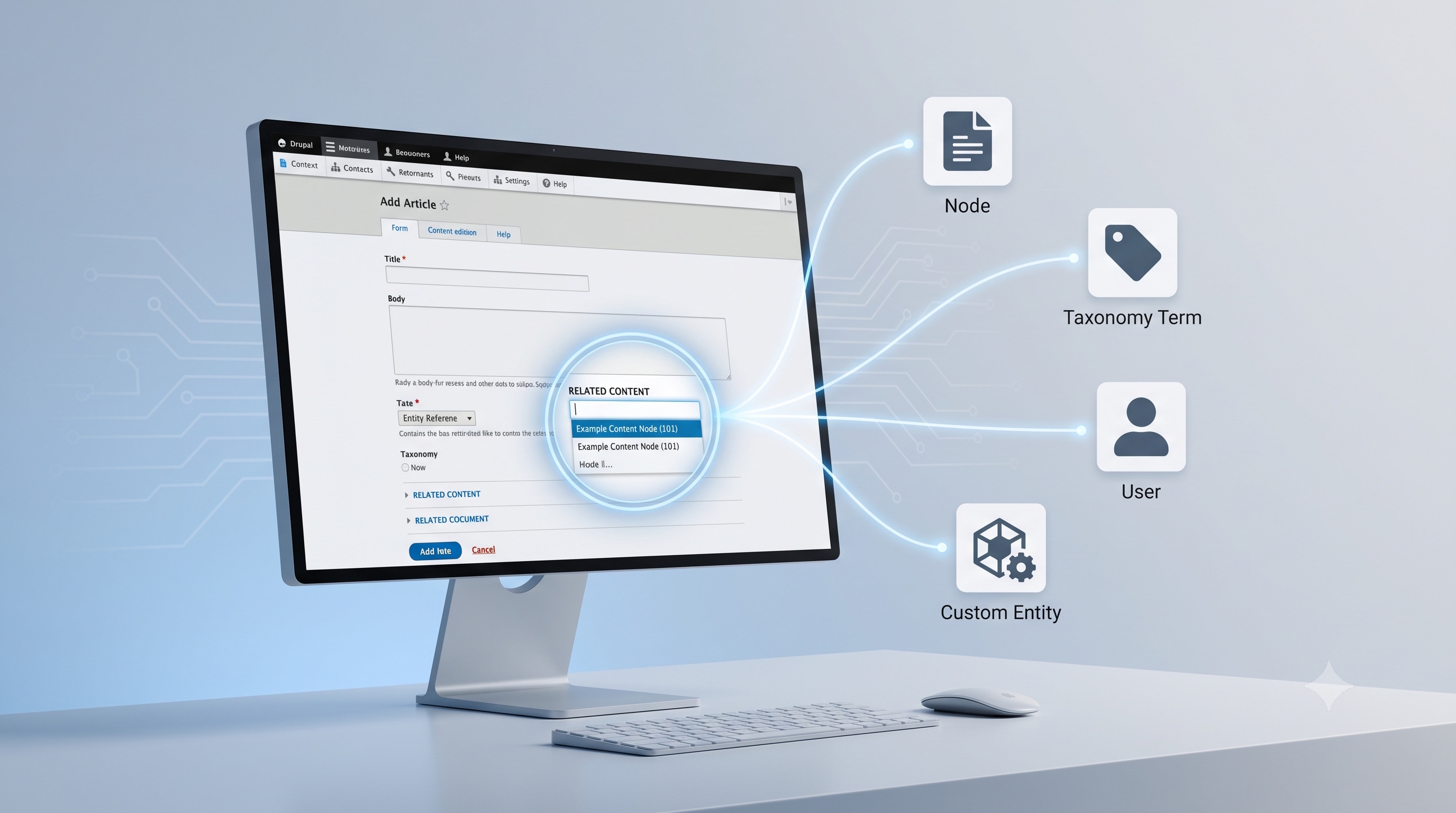
Drupal’s Entity Reference Field Explained
The Entity Reference field is a cornerstone of Drupal’s flexible data model. By storing pointers instead of duplicated content, it promotes consistency, simplifies updates, and enables sophisticated relationships across the site. Proper configuration, such as selecting the right target entity, setting appropriate cardinality, and choosing suitable widgets, ensures a smooth editorial experience. Advanced patterns such as revisions, Views integration, and programmatic linking unlock further potential, while mindful performance tuning and adherence to best practices safeguard site stability. Mastery of the Entity Reference field empowers developers to build modular, scalable, and maintainable Drupal solutions.
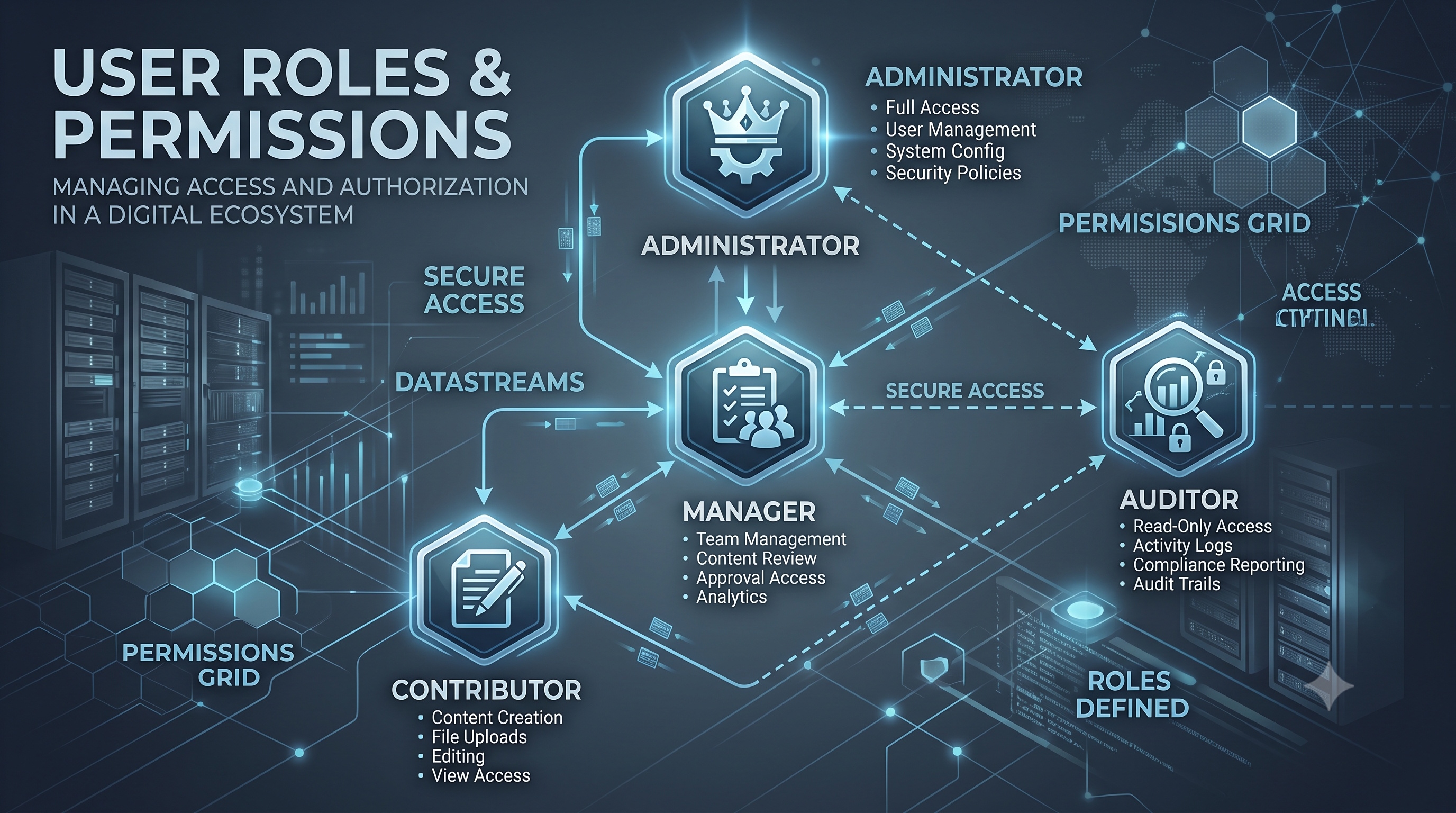
Configuring User Roles and Permissions
Configuring user roles and permissions is a strategic process that improves security, efficiency, and compliance. By defining roles based on business functions and using platform features, organizations can build a reliable access control model. Consistent management through audits, automation, and monitoring ensures that the framework meets changing needs. These practices help protect important data while allowing users to work effectively.

Logging with Monolog
Logging is a cornerstone of reliable software development. It provides visibility into application behavior, aids in troubleshooting, and supports compliance requirements. In the PHP ecosystem, Monolog has become the de-facto standard for structured, flexible logging. This article explores the core concepts of Monolog, walks through a typical setup, and presents advanced techniques that help you extract maximum value from your logs.